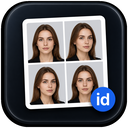
Automatic crop
Crops head and shoulders to the selected ratio.
SMART ID PHOTO STUDIO
Shoot at home, choose your destination, and let IDMate fix the angle, background and crop in one smooth flow.

Bedroom background · casual selfie
See common passport, visa and identity photo requirements before you continue in IDMate.
Choose the country and photo standard first. IDMate guides the rest in the App.
Choose your standard, follow the capture guide, and save the finished photo in IDMate.

Select the country and photo requirement before you start.

Use your phone at home and follow the angle, pose and framing prompts.

IDMate prepares the crop, background and size, then lets you confirm and save.
IDMate guides the capture, crops the photo, handles the background and checks the final dimensions.
Crops head and shoulders to the selected ratio.
Applies the required background with natural edges.
Checks framing, background and size before export.
When you need a photo
Keep your time for what matters.An ID photo is only one part of an application. It should not become the most time-consuming one.
Understand the standards here. Complete the photo in the IDMate App.
Understand the options here. Prepare the final photo in the App.
The IDMate App can prepare photos for passports, visas, identity documents, driving licences and many other standards. This website shows only a selection, so the size you need may not appear here. Download the App to explore the full set and prepare your photo.
No. This website helps you understand IDMate and review photo standards. Full functionality is available in the IDMate App.
Photo preparation and checking happen in the IDMate App.
Yes. Start with a clear source photo that leaves enough room around your head and shoulders.
Choose the country and requirement before you start.
In the IDMate App, choose the country first, then choose the matching photo standard and start preparing your photo. This website shows only selected standards; use the App for the complete list.
Documents and receiving authorities set different dimensions, crop ratios and file requirements.
Not always. Even when the width and height match, documents may have different requirements for head size, background, framing and file format. Choose the standard for the country and document you are applying for.
Yes. Requirements can change, and the receiving authority makes the final acceptance decision.
A few simple checks make the App's preparation smoother.
Use a clear, front-facing photo with even light, visible eyes and space around the head.
Follow the background stated by the selected photo standard. IDMate can replace the source background in the App.
Face the camera with your head straight, eyes visible and a neutral natural expression.
Check the latest instructions for the receiving authority because restrictions vary by application.
What IDMate checks, and what only the receiving authority can decide.
IDMate reviews the stated framing, background and dimension requirements for the selected standard.
No. A check does not guarantee acceptance.
The receiving authority makes the final acceptance decision.
Check the authority's latest instructions before submission and prepare the photo against the current requirement.
Choose your country and standard in the App, then let IDMate guide the rest.
